Boost Productivity in Confluence with Mantra’s Quick Links

Tired of endlessly scrolling through Confluence to find what you need? We’ll show you how to use Quick Links in Mantra to unlock instant access to your most-used resources.

Table of Contents


None of us likes to waste our time. That’s why a well-structured workspace is essential — for productivity and personal well-being.

Confluence is a powerful and popular collaboration tool, but navigating it efficiently can be a challenge. When key resources are buried under multiple pages, users waste valuable time searching instead of working.

In this article, we’ll show you how the intranet solution Mantra helps you create the best quick links in confluence to boost your team’s productivity.

What is Mantra?

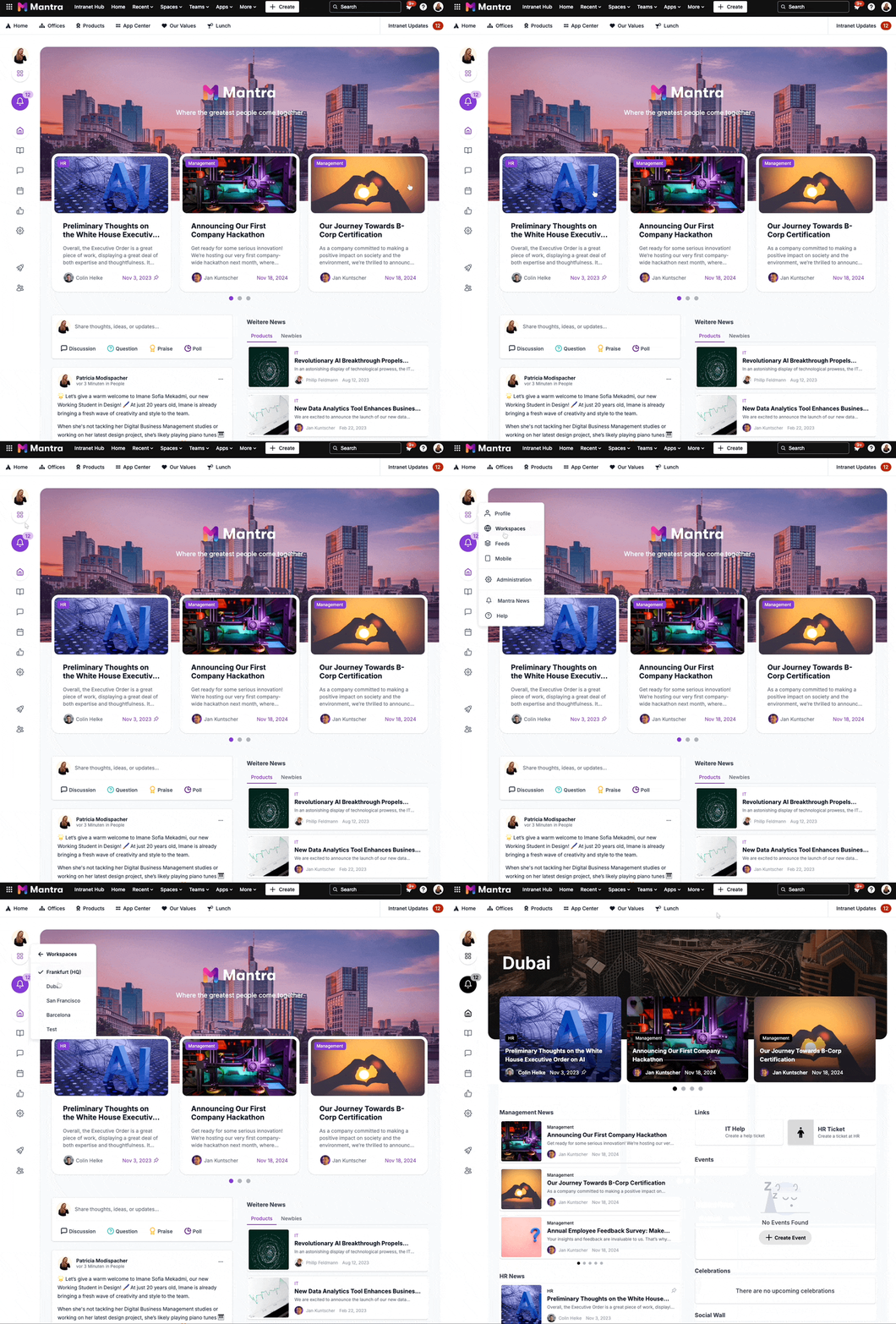
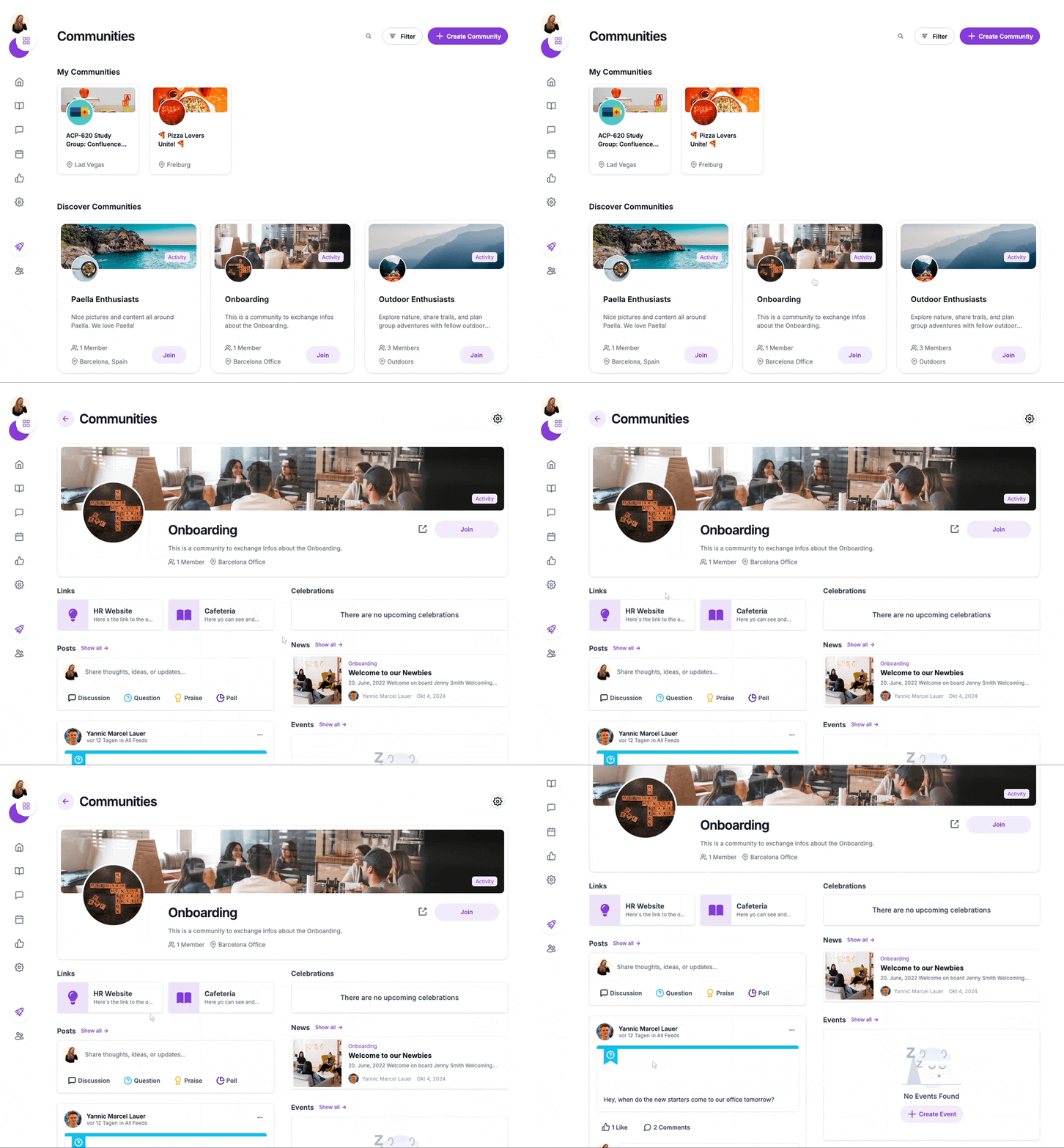
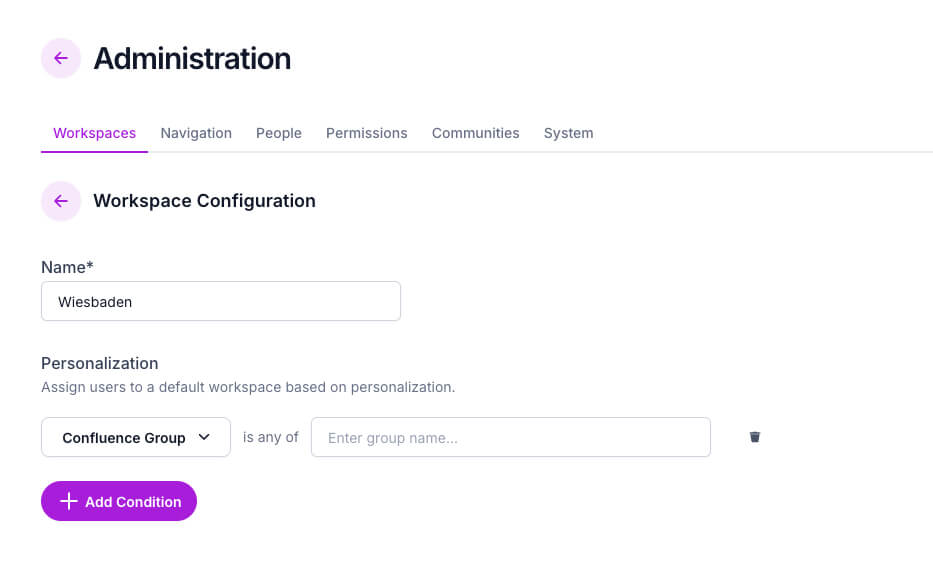
Mantra is a social intranet solution that fully integrates with Confluence Cloud, transforming it into a more organized, collaborative, and engaging workspace. Unlike traditional Confluence setups, Mantra enhances team collaboration by providing:

change workspace segmentation

Mantra news overview

Onboarding Community

mantra user role permission


More than just a navigation tool, Mantra is the perfect Confluence company hub, giving teams a single, structured space where communication, knowledge sharing, and collaboration seamlessly connect.

But without easy access to essential resources, even the best intranet can become cluttered and difficult to use. That’s why Mantra’s Quick Links play a crucial role in helping teams quickly find what they need.


Quick Links, Quick Wins

Using Mantra’s Quick Links, you won’t waste any more time searching for the most important pages and resources. Everything you need is just one click away.

With Quick Links, you can:

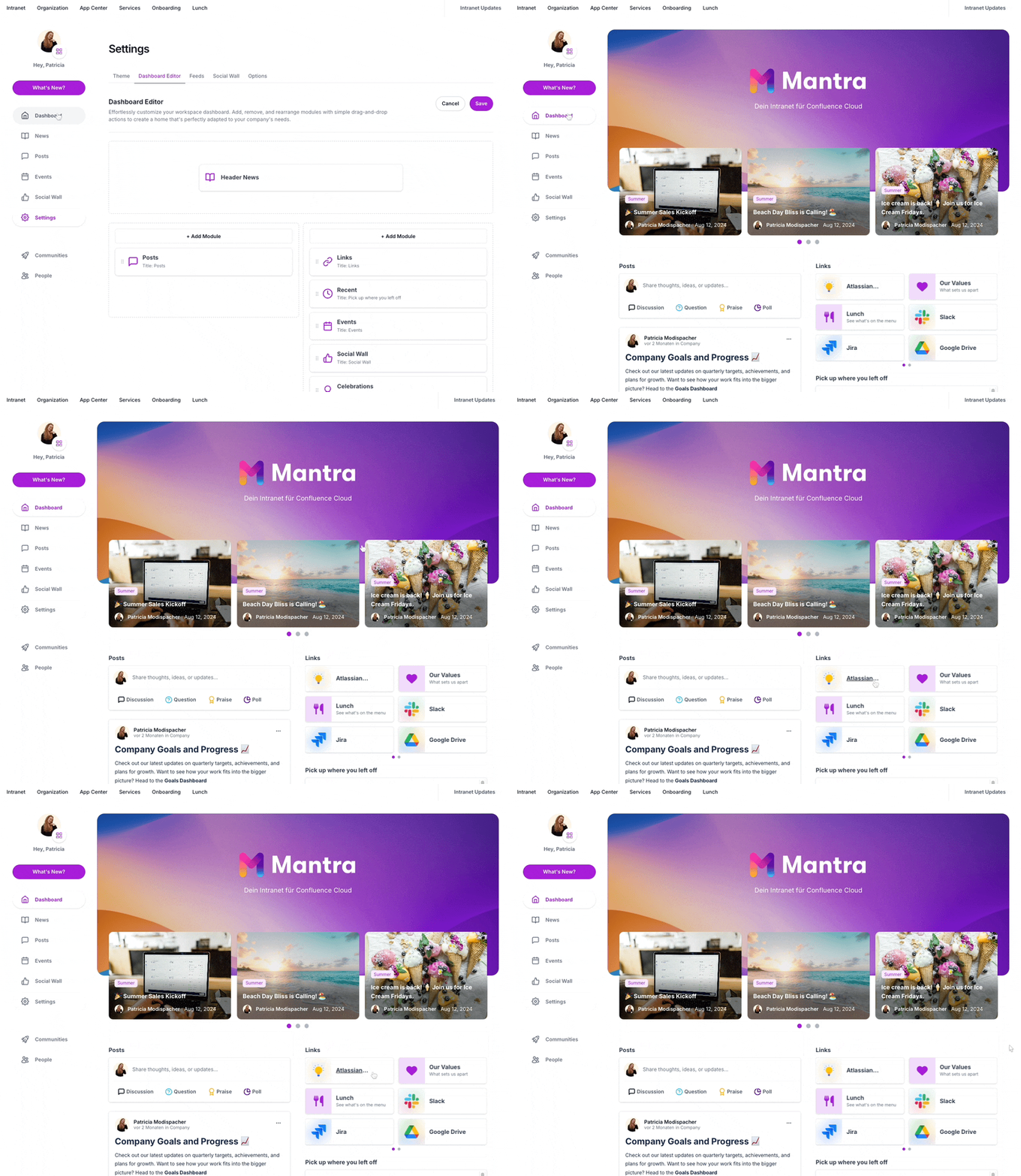
Create visually engaging link cards with custom titles, icons, and descriptions to improve recognition.
Use drag-and-drop functionality to prioritize the most important links for your team.
Set up workspace-specific Quick Links, ensuring each department or project team has instant access to their most-used resources.
Link to internal Confluence pages, external tools, or shared documents—whatever your team needs to stay productive.

How to Set Up Quick Links in Mantra

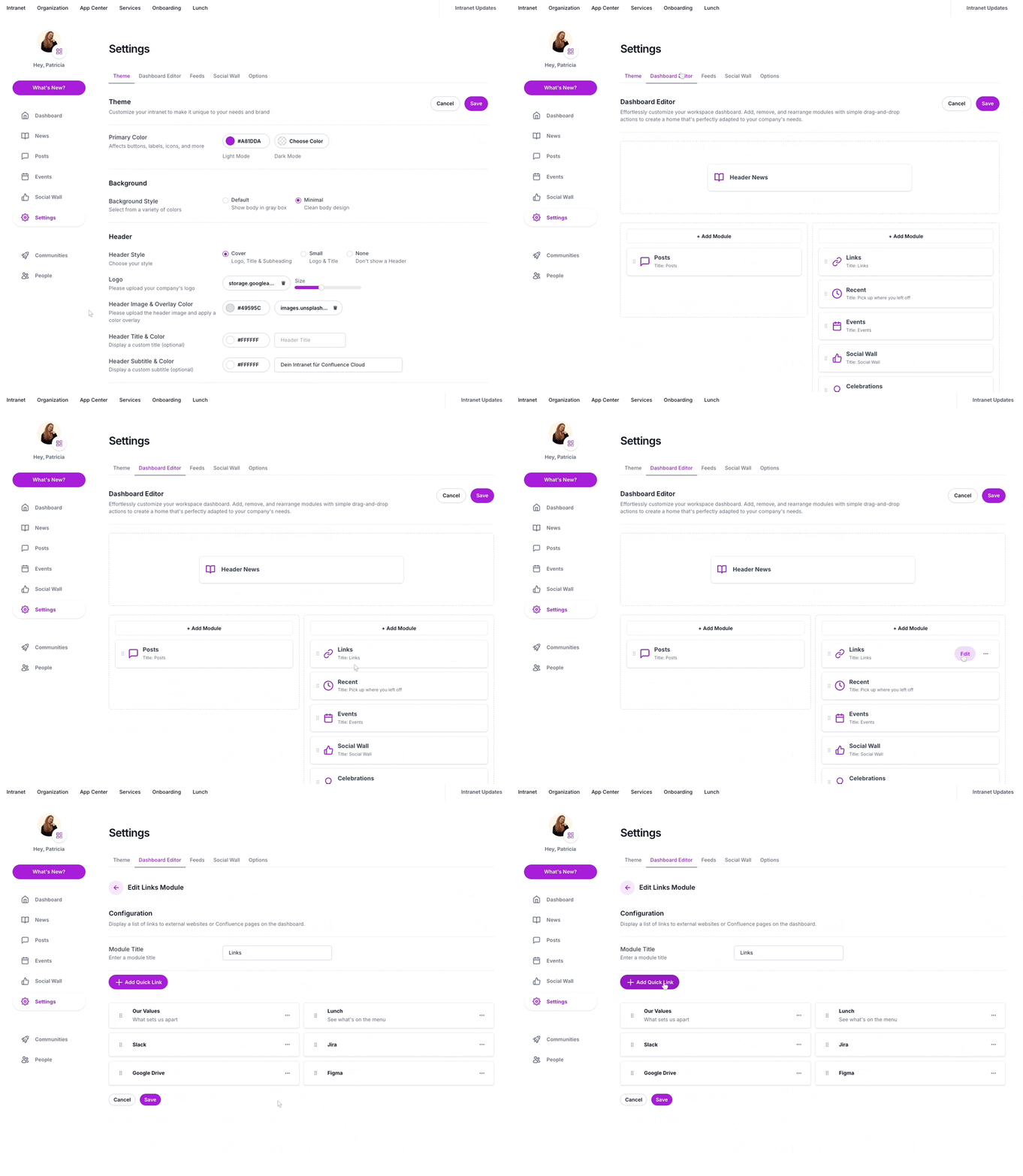
As a Confluence Admin, you can define where you want to link to from Mantra.

  1. Open Mantra and navigate to Settings.

  2. Click the Dashboard Editor.

  3. Press “Edit Links” to open the Quick Link menu.

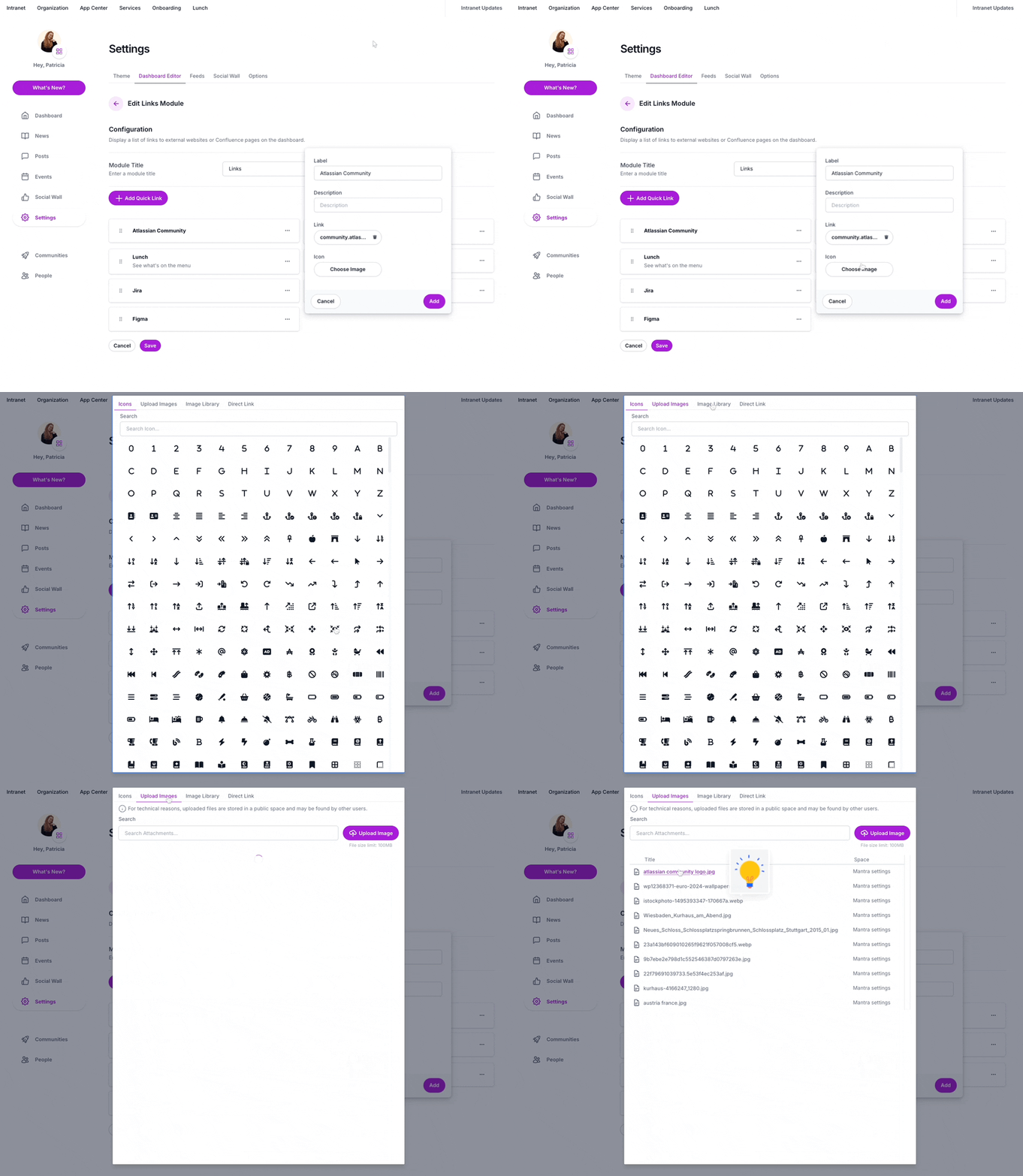
  4. Next, click “Add Quick Link”.

Create quick link mantra

5. Enter a title, URL, and optional icon and description.

Mantra quick link

6. Click Save to finalize your Quick Link.

mantra final quikc link


Teams that use Mantra’s Quick Links experience:


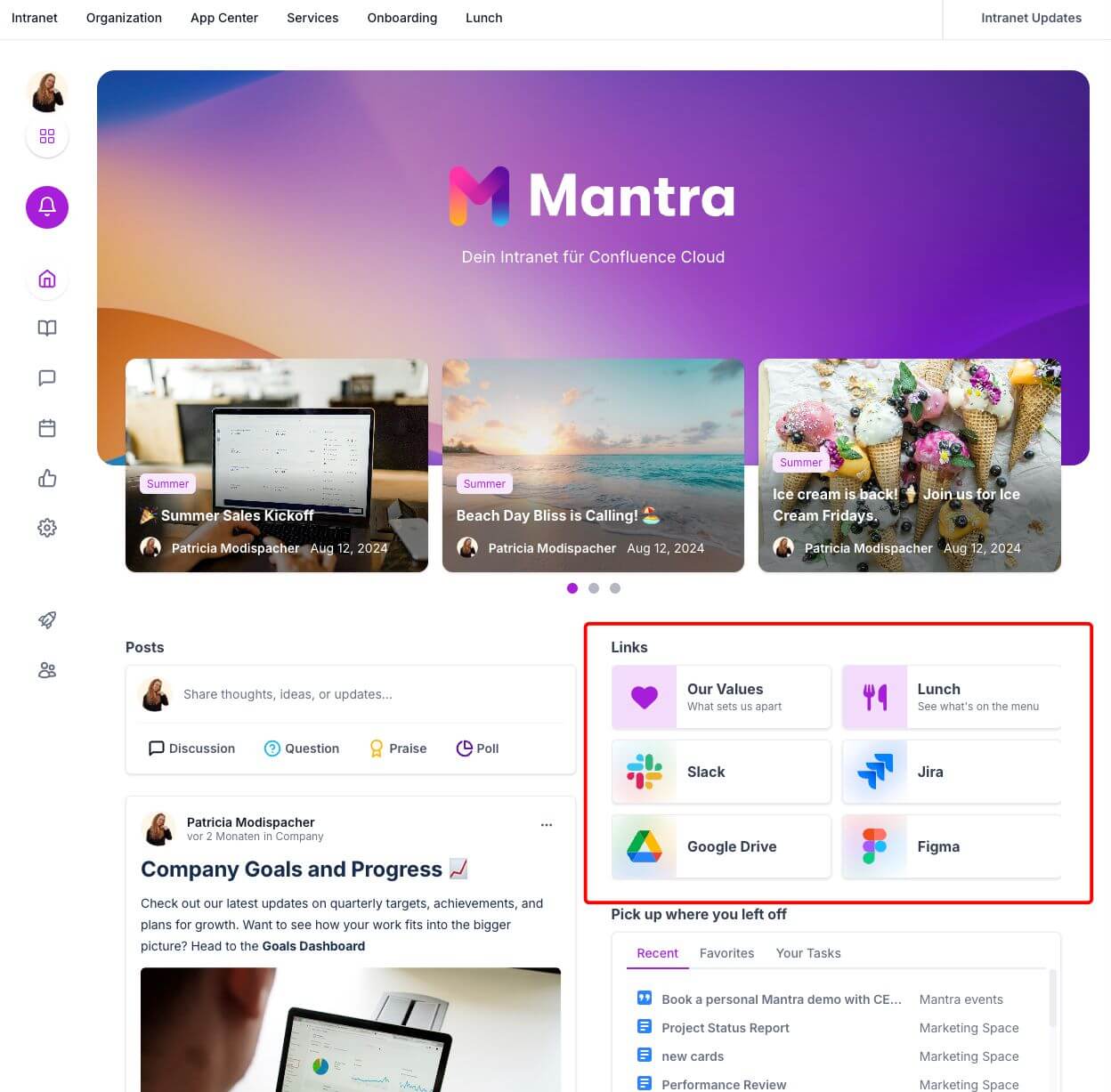
In Mantra Intranet, you can set up different workspaces for locations or teams. And each workspace has their own quick links in their Confluence dashboard. Imagine a marketing team using Confluence to manage campaigns. Their Quick Links dashboard might include:

On a different Mantra workspace, for example a workspace for a software development team, Quick links could involve a product roadmap, the code repository, bug trackers and anything that help the team to succeed.


Making Confluence Your Team’s Central Hub

Mantra, combined with the strategic use of Quick Links, transforms Confluence from a simple document repository into a dynamic, collaborative, and efficient workspace. By providing quick and easy access to essential resources, you empower your team to work smarter, not harder.

Stop wasting time searching and start focusing on what matters most: getting work done.

Try Mantra now by yourself or book a free personalized demo by our experts.


Quick Navigation through your Confluence Intranet

A good Confluence landing page stands and falls with the navigation. That’s why we at appanvil have integrated a powerful navigation function into Mantra, which is consistently displayed below the traditional Confluence navigation bar. This allows users to quickly and easily reach important content and pages within their Confluence environment. The knowledge management of Confluence Cloud and the handling of Mantra complement each other.

Supercharge your Confluence

Let’s create something extraordinary together

Schedule a free consultation with our team and let’s make things happen!

Book a demo

14 Responses

  1. I do not even know how I ended up here but I thought this post was great I do not know who you are but certainly youre going to a famous blogger if you are not already Cheers

  2. you are truly a just right webmaster The site loading speed is incredible It kind of feels that youre doing any distinctive trick In addition The contents are masterwork you have done a great activity in this matter

  3. Great article! I really appreciate the way you explained everything so clearly – it feels like you put a lot of effort into making it useful for readers. I’ve been exploring different tools and resources myself, and recently started using https://webdesignfreelancermunchen.de/ by Abdul, professional webdesigner in bamberg. It’s been a game changer for me, and reading your post actually gave me even more ideas on how to apply it. Thanks for sharing such valuable insights!

  4. Your blog is a testament to your dedication to your craft. Your commitment to excellence is evident in every aspect of your writing. Thank you for being such a positive influence in the online community.

  5. Excellent breakdown, I like it, nice article. I completely agree with the challenges you described. For our projects we started using Listandsell.us and experts for our service, Americas top classified growing site, well can i ask zou a question regarding zour article?

  6. Excellent breakdown, I like it, nice article. I completely agree with the challenges you described. For our projects we started using Listandsell.us and experts for our service, Americas top classified growing site, well can i ask zou a question regarding zour article?

  7. Excellent breakdown, I like it, nice article. I completely agree with the challenges you described. For our projects we started using Listandsell.us and experts for our service, Americas top classified growing site, well can i ask zou a question regarding zour article?

Leave a Reply

Your email address will not be published. Required fields are marked *